
DesignHome is an all-in-one AI home design platform that helps homeowners, interior designers, architects, builders, and real estate professionals create floor plans, interior designs, exterior visualisations, room makeovers, house plans, landscape concepts, and realistic 3D home designs from simple text prompts, photos, sketches, or blueprints. Instead of learning complex design software, users simply describe their ideas or upload an image, and DesignHome instantly generates photorealistic layouts, renovation concepts, furniture arrangements, colour palettes, and architectural visualisations—bringing complete home design, planning, and remodelling into one intelligent AI platform.
DesignHome vs RoomGPT: Which AI Home Design Tool Is Better in 2026?
Are you planning to remodel your house this year?
By the end of this guide, you will see why guessing room styles by hand is a thing of the past. Today, you can build complete home ideas in seconds with AI.
Choosing the wrong tool wastes your time and money. You want to see your room ideas clearly before buying paint or furniture.
Two popular tools in 2026 are DesignHome and RoomGPT. Both promise fast home makeovers using artificial intelligence.
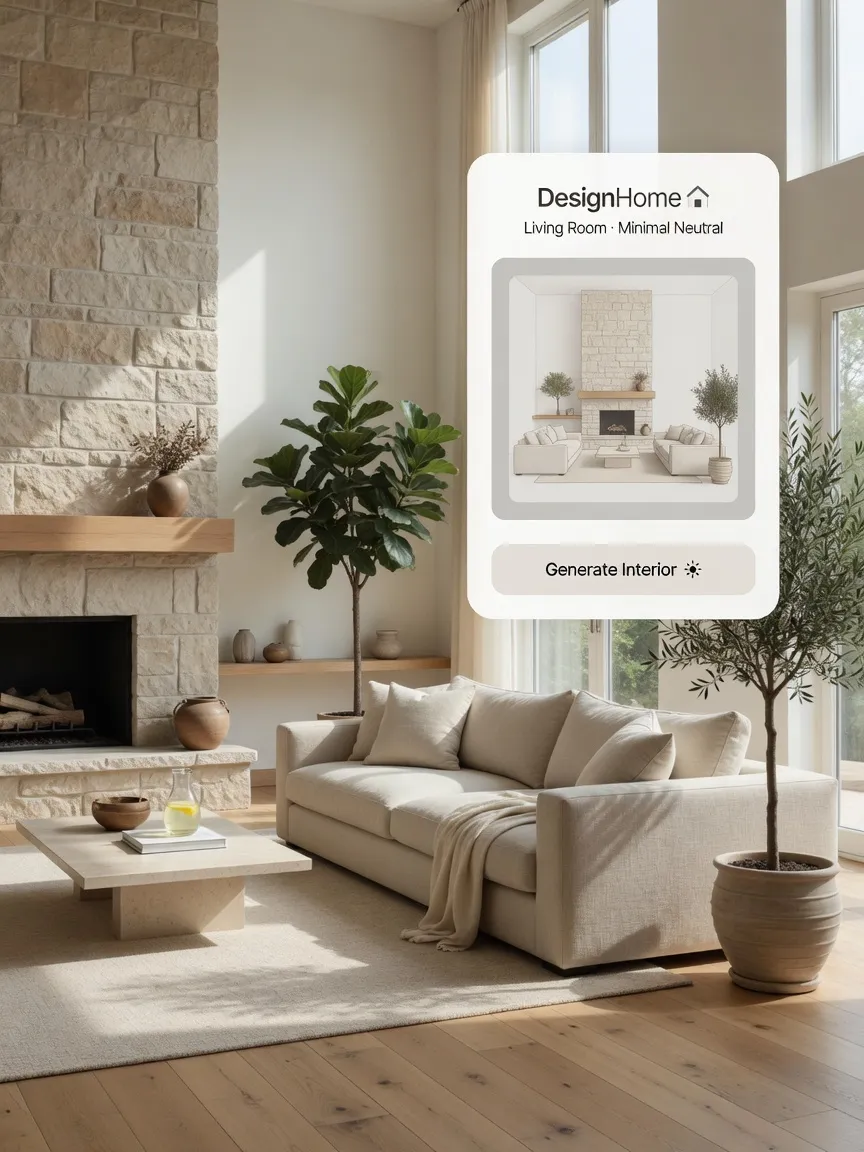
Design your home with AI
DesignHome is an all-in-one AI home design platform for creating floor plans, redesigning interiors, visualising exteriors, and generating realistic 3D home designs. Describe your ideas or upload a photo to transform any space in seconds.
Get StartedHowever, they perform at completely different levels. One gives you a complete design suite for your entire house. The other is mostly a basic photo style filter.
Here is a clear comparison to help you choose the best tool for your project.
DesignHome vs RoomGPT at a Glance: Quick Feature Comparison
Need a fast answer right now?
DesignHome gives you complete home designs in seconds. You can generate floor plans, redesign interiors, and test exterior house paint.
RoomGPT only lets you apply basic surface filters to single room photos.
You can browse real home ideas to see what a complete tool can do.
| Feature / Metric | Legacy Tool: RoomGPT | Autonomous AI: DesignHome |
|---|---|---|
| Primary Approach | Interior Photo Filters Only Limited strictly to restyling photos of already finished rooms. | Complete House Tools Full interior, exterior, and floor plans generated from scratch. |
| Floor Plans | Not Available Cannot generate structural layouts or architectural floor plans. | Instant Text-to-Layout Builder Craft custom floor plans instantly using simple text descriptions. |
| Exterior Redesign | Extremely Limited Focused almost entirely on interior rooms with minimal exterior options. | Instant Photo Uploads & Paint Tests Easily transform home exteriors with custom colors and materials. |
| Image Realism | Often Blurry or Cartoonish Lower-resolution renders that can look artificial or distorted. | High-Quality Lighting & Furniture Photorealistic architectural output with accurate lighting and textures. |
| Project Flexibility | Requires Existing Photo Must have a clear, pre-existing room photo to generate anything. | Works from Text, Photos, or Layouts Total flexibility to start from scratch with text or build directly from snapshots. |
| Speed & Value | Pay-Per-Credit Filters Restrictive token systems that charge you for every single filter test. | Fast Results Across Your Entire Home Rapid, comprehensive generation for every corner of your property. |
| Bottom Line | Limited to simple interior photo filters with rigid credit limits. | Complete home design suite covering interiors, exteriors, and floor plans. |
AI Interior Design Comparison: Which Creates Better Room Transformations?
You want realistic room transformations that match your personal style.
With DesignHome, remodeling a space takes zero effort. You can try effortless interior room redecorating simply by snapping a photo of your space.
Upload your image, and the system instantly updates your furniture, wall colors, and decor. You get clear, natural room pictures that look like real homes.
RoomGPT Win 2: Basic Photo Filters
Limited room filters, restricted credits, and missing structural features.
-
✕
Missing Structural Layouts: Cannot generate floor plans or architectural blueprints for your home.
-
✕
Glitchy Renders: Produces unnatural lighting, warped items, and lower-resolution outputs.
-
✕
Fast-Burning Credits: Expensive pay-per-credit systems that run out quickly during testing.
-
✕
Limited Exterior Tools: Almost zero custom building features or exterior house redesign options.
-
✕
Requires Clear Photos: Must have an existing, high-quality room photo just to get started.
DesignHome Win 12: Complete Architecture Suite
Instant floor plans, hyper-realistic interiors, and full exterior tools.
-
✓
Complete Home Suite: Comprehensive tools covering floor plans, interior redesigns, and exterior transformations.
-
✓
Text-to-Layout Generation: Craft accurate architectural floor plans instantly from simple text descriptions.
-
✓
Hyper-Realistic Quality: Generates stunning, photorealistic rooms featuring natural lighting and accurate furniture placement.
-
✓
Zero Learning Curve: Perfectly optimized interface designed so any homeowner can create professional layouts instantly.
-
✓
Maximum Cost Savings: Saves thousands of dollars by preventing expensive planning and remodeling mistakes.
RoomGPT struggles with interior design quality. It pastes basic decor styles over your old picture.
It often distorts windows, warps furniture legs, and makes rooms look fake. You cannot easily change individual items without ruining the whole image.
For reliable room makeovers, use the dedicated room design tool.
Beyond Room Makeovers: Floor Plans, Exterior Design and Complete Home Projects
A real home project is much bigger than just updating a living room couch. You need layout planning and curb appeal ideas too.
DesignHome handles your entire project from start to finish. You can use the instant layout creator to generate full house plans from simple words.
Learn how to build floor plans in minutes without drawing a single line by hand.
You can also test new exterior wall paint to see your house from the street before hiring painters.
Take a look at these stunning villa layout examples for fresh inspiration.
RoomGPT fails completely on full home projects. It cannot generate floor plans from scratch. It cannot help you plan room additions or test house exteriors properly.
If you want more than a simple photo filter, RoomGPT falls far short.
Design Quality: Which AI Produces More Realistic Results?
No homeowner wants fake, glitchy images that look like video games.
DesignHome delivers photo-realistic room designs every single time. Lighting looks natural, furniture proportions stay accurate, and wall finishes look crisp.
Read our guide to realistic AI home design to see how clean room rendering works.
RoomGPT often produces frustrating image errors. Furniture items bleed into walls, lighting looks uneven, and colors look unnatural.
You waste time re-generating images over and over just to get one decent picture.
Ease of Use: Which AI Home Design Tool Is Simpler for Beginners?
You should not have to spend days learning complicated software.
DesignHome is built for absolute beginners. If you can type a simple sentence or snap a photo, you can use it.
There are no confusing settings or hard controls. Read this simple guide for house planning to get started right away.
RoomGPT feels simple at first, but gets annoying fast. Because the image quality is unpredictable, you must constantly tweak prompts and waste credits.
Instead of saving time, you spend your afternoon trying to fix weird AI mistakes.
Pricing, Free Features and Overall Value Compared
You want software that gives you full value for your hard-earned money.
DesignHome provides a complete home design toolkit in one place. You can plan layouts, test room colors, and view exterior makeovers without buying extra apps.
RoomGPT uses an annoying credit model and expensive weekly or monthly subscriptions. You pay money just to generate basic image filters.
When an image comes out blurry or warped, you still lose your paid credit. The costs add up quickly for very little real value.
Pros and Cons: DesignHome vs RoomGPT
DesignHome
The Pros
- ✓ Complete tool for floor plans, interiors, and exteriors.
- ✓ Creates instant floor plans from simple text descriptions.
- ✓ Hyper-realistic photo quality with natural lighting.
- ✓ Zero learning curve for any homeowner.
- ✓ Saves thousands of dollars on home planning mistakes.
The Cons
- — None if you want a complete house design platform.
RoomGPT
The Pros
- ✓ Quick for basic style ideas if you already have a clear photo.
The Cons
- ! Cannot generate floor plans or structural house layouts.
- ! Produces glitchy images with unnatural lighting and warped items.
- ! Requires paid credits that burn out fast.
- ! Limited exterior tools and zero custom building features.
Who Should Choose DesignHome and Who Should Choose RoomGPT?
Choose DesignHome if you want to:
- Build complete house floor plans instantly from simple words.
- Redesign room interiors with realistic furniture and colors.
- Preview exterior house paint and finishes before spending money.
- Browse real room inspiration in our real room gallery showcase.
- Handle your entire home project in one simple place.
Choose RoomGPT if you want to:
Apply basic surface filters to a single photo of your bedroom.
Pay for credits just to get simple style inspiration.
Final Verdict: Is DesignHome or RoomGPT the Better AI Design Platform?
DesignHome is the clear winner in every single category for 2026.
It goes far beyond basic image filters. It gives you complete control over your floor plans, room decor, and house exterior.
You do not need drawing skills, technical experience, or endless free time. Describe your ideas or upload a photo to start immediately.
Ready to bring your dream home to life without the headache? You can try the instant home layout generator today.
Frequently Asked Questions
What is DesignHome and how does it help me?
DesignHome is an AI tool for extraordinary home design. It lets you create floor plans and room makeovers in seconds. You do not need to measure or draw anything yourself.
Do I need drawing skills or design experience to use it?
No design experience is needed. You just type your home ideas in simple words or upload a picture of your space. The AI handles all the work for you.
Can I turn my paper blueprint into a 3D floor plan?
Yes. Upload a quick photo of your paper drawing or blueprint. DesignHome converts it into a clear floor plan right away.
Can I see new furniture and paint colors in my actual room?
Yes. Upload a photo of your current living room or bedroom. You can test new wall colors, floor finishes, and furniture styles in seconds.
Will the room designs look like real pictures or fake drawings?
The generated designs look like real, high-quality photos. You see natural room lighting, clean colors, and accurate furniture placements every time.
Can I design an outdoor patio or backyard makeover?
Yes. You can test new patio setups, outdoor furniture, and yard ideas simply by uploading a photo of your space.
How is DesignHome different from other home design software?
Other tools make you draw every wall and place items piece by piece. DesignHome builds complete room layouts and designs automatically in seconds.
How fast will I get my finished room design?
You get complete room makeovers and full layout plans in less than 30 seconds.
Will DesignHome save me money on my home renovation?
Yes. You can test every idea before buying furniture or paint. This helps you avoid expensive mistakes before spending real money.
How do I get started with my first room project?
Simply upload a room photo or type your bold house idea. You will see your new house design instantly on your screen.
Expert Verified Content
This article has been reviewed by our interior design team for accuracy and quality.