

TL;DR
Looking for the best software to transform your home's exterior? DesignHome makes exterior design effortless, helping you explore creative facades, colors, materials, landscaping, and curb-appeal concepts without the complexity of traditional design software.
Our Recommendation
If you want to craft a beautiful exterior without spending hours learning complicated tools, DesignHome is our top choice. Start with an idea, photo, or floor plan and explore striking exterior concepts with less effort and more creative freedom.
Committing tens of thousands of dollars to an exterior renovation without seeing the finished result beforehand is a nerve-wracking gamble.
Here's the deal:
Picking siding colors from a tiny swatch or trying to imagine a new gabled porch over your existing brick facade usually leads to design regret. You know your curb appeal needs a major upgrade, but flat 2D blueprints or raw imagination simply don't cut it. Modern best exterior home design software eliminates that guesswork by rendering photorealistic, scaled updates of your actual home in minutes.
Whether you're swapping asphalt shingles for metal roofing, replacing dated vinyl with dark board-and-batten siding, or planning a structural overhaul, choosing the right exterior home design software ensures you buy materials with 100% confidence.
DesignHome Exterior: Creating Architecture Beyond Ordinary Human Imagination
Standard architectural templates and repetitive Pinterest boards produce the same predictable houses over and over.
Here's the truth:
When you want a home or client project that commands immediate attention globally, relying on traditional brainstorming alone limits your creative ceiling. DesignHome introduces the world's first spatial exterior intelligence system—delivering groundbreaking facade concepts that push past conventional design boundaries.
Whether you are starting from a raw 2D floor plan or redesigning an existing home facade, DesignHome crafts extraordinary architectural directions that turn heads, elevate curb appeal, and create spaces you truly love coming home to every single day.
Unmatched Exterior Craftsmanship Built for Global Impact
To stand out in today's competitive residential market, your builds need a distinct identity. DesignHome equips homeowners, developers, and designers with an unmatched creative edge:
- From 2D Floor Plan to Complete 3D Facade: Automatically extrude rooflines, balance window grids, and align structural massing directly from a simple 2D layout drawing in under 30 seconds.
- Global Aesthetic Adaptability: Instantly generate facades tuned to diverse architectural styles that capture the attention of clients and buyers across the globe.
- Flawless Lighting & Material Realism: Preview photorealistic exterior depth, natural sunlight angles, and authentic material textures before purchasing a single gallon of paint or square foot of siding.
See the Unique Exterior Results Generated by DesignHome
Every design shown below was generated directly by DesignHome AI spatial intelligence. These aren't generic stock concepts—they are buildable, scale-accurate exterior transformations engineered to redefine curb appeal:
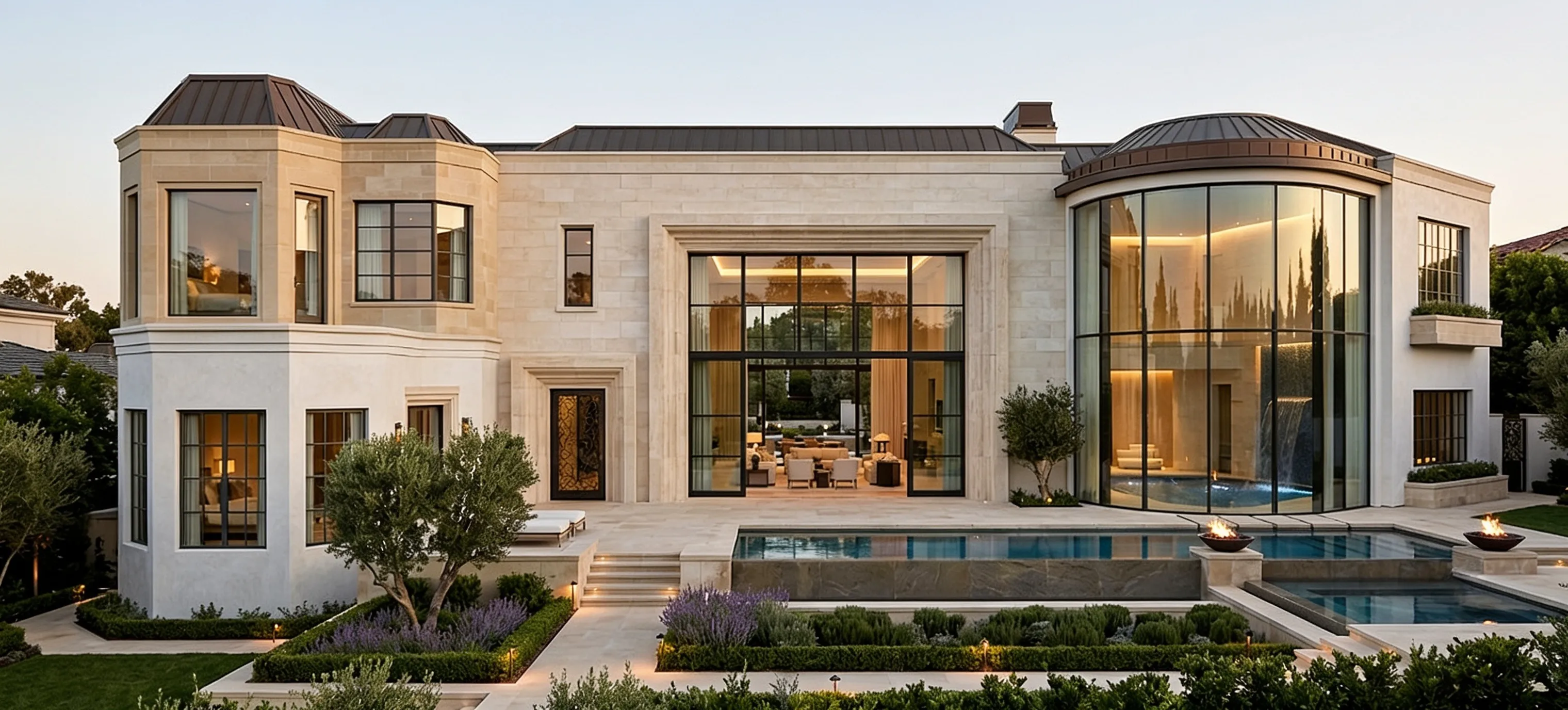
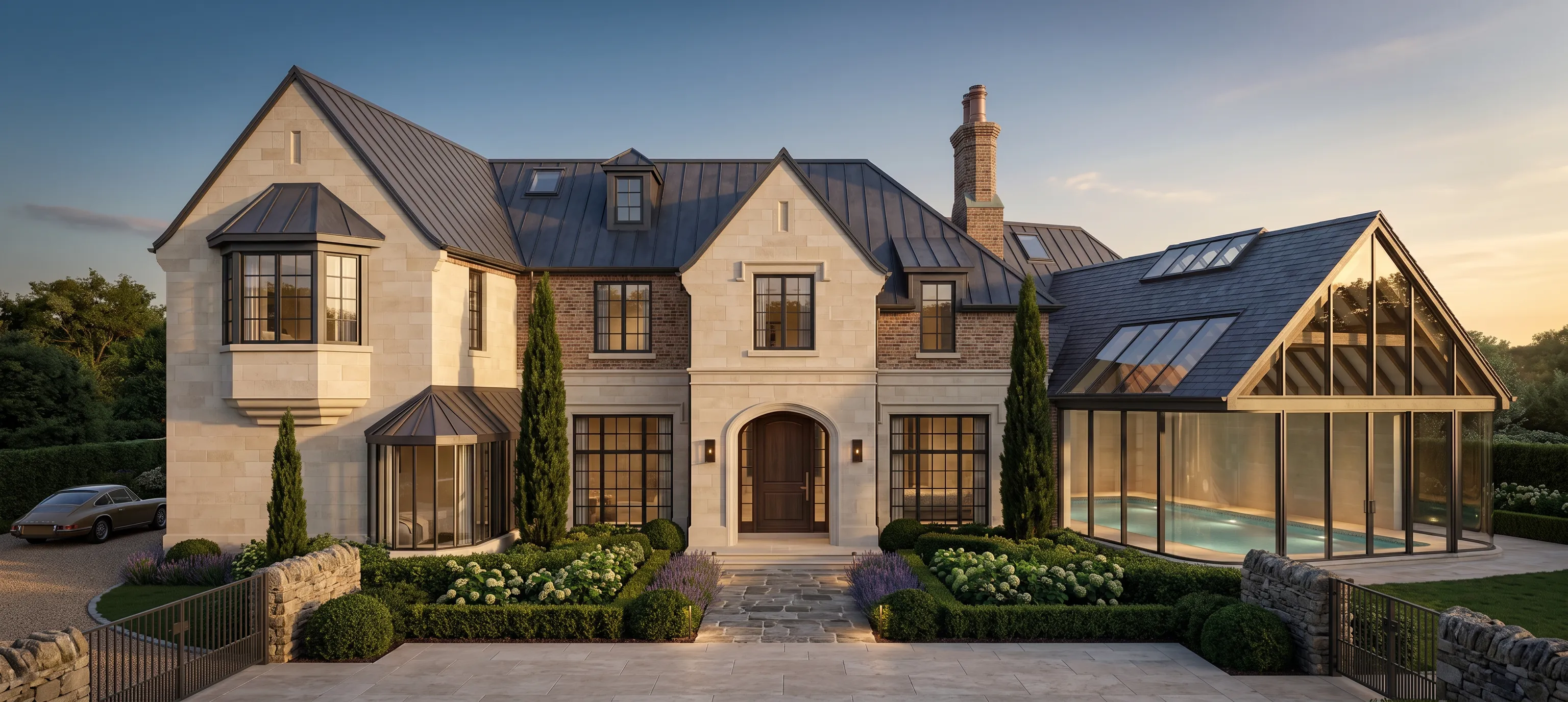
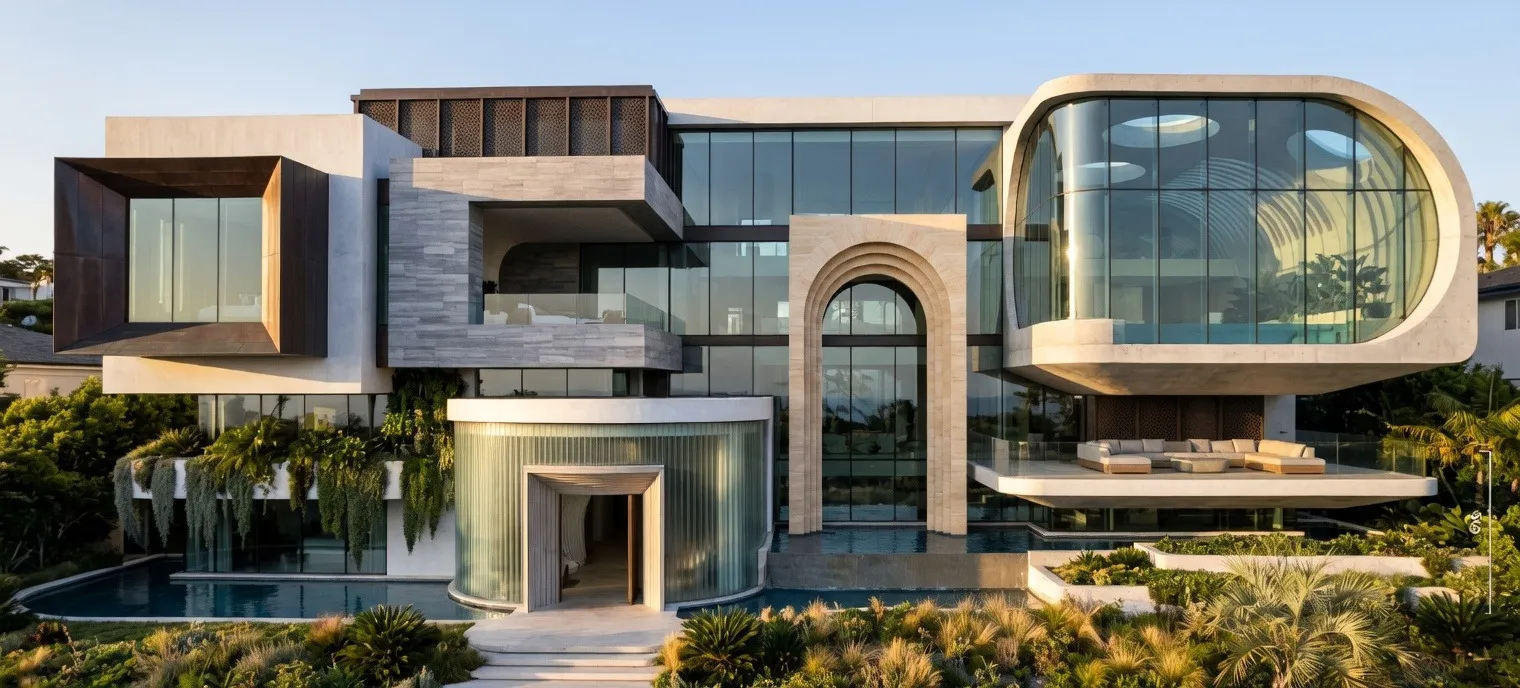
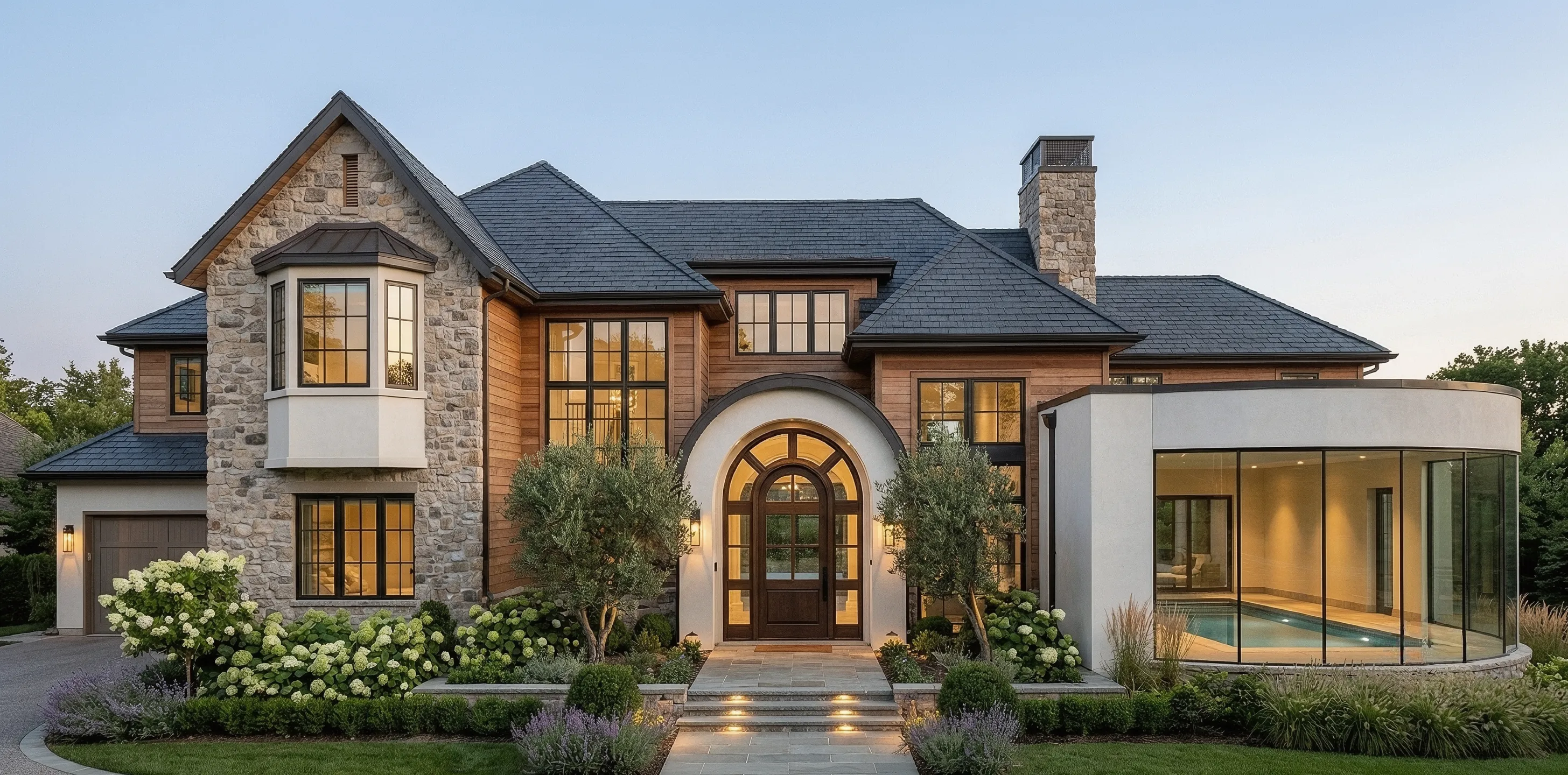
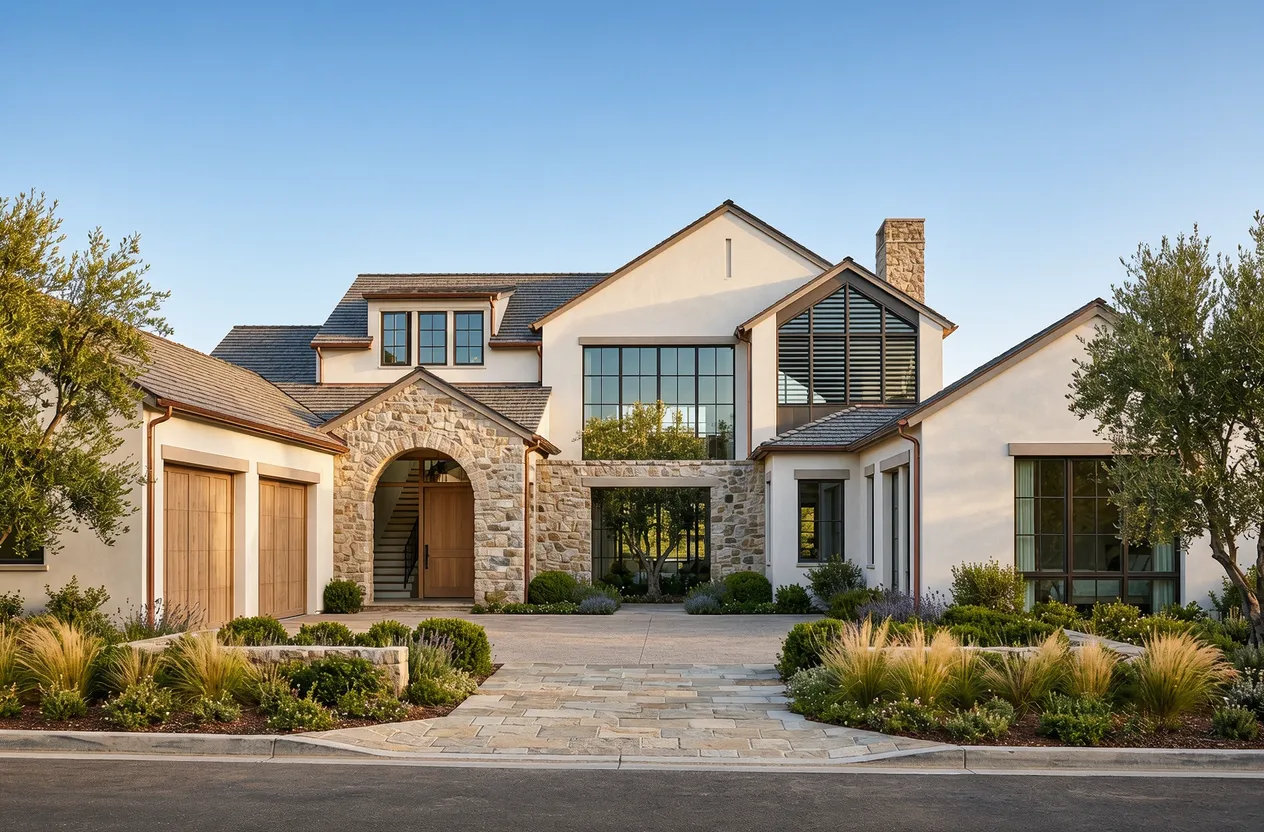
- Modern Farmhouse Transformation: High-contrast black window trims paired with vertical board-and-batten siding and natural timber portico accents.
- European Transitional Redesign: Seamless integration of raw mineral stone facades with sweeping gables and clean, minimalist glass entryways.
- Contemporary Urban Facade: Monochromatic dark cladding balanced with warm wood paneling and integrated architectural exterior lighting.
Explore thousands of live facade concepts in our design gallery or jump straight in to explore DesignHome AI tools to render your own extraordinary home exterior today.
2. The Best Exterior Design Tools Compared at a Glance
You shouldn't have to open ten different browser tabs and struggle through complex CAD menus just to compare your options.
The exterior design software landscape in 2026 ranges from quick photo-restyling tools to full-scale architectural BIM platforms. Here is how the top house exterior visualizer platforms stack up across critical capabilities:
| Software Platform | Best For | Input Method | Key Strengths | Output Quality |
|---|---|---|---|---|
| DesignHome | Instant AI Facades & Vector Plans | Photo Upload or Sketch | Spatial intelligence, lighting depth & precise 2D/3D layouts | Photorealistic 4K Renders |
| Remodel AI | Mobile Facade Style Swaps | Single Front Photo | 11 pre-set architectural styles (Craftsman, Farmhouse, etc.) | High AI Preview |
| Cedreo | Pro Conceptual Builder Plans | Manual 2D Grid Drawing | Fast 3D roof generation & exterior material libraries | HD Architectural Rendering |
| Chief Architect | Full Construction Documentation | Full CAD Drafting | Precise structural wall assemblies & contractor-ready specs | Professional CAD 3D |
| ColorSnap (Sherwin-Williams) | Paint-Only Color Testing | Photo Masking / Upload | 1,500+ real Sherwin-Williams paint code matches | Basic 2D Color Overlay |
3. What Can You Change? Siding, Paint, Roofing, Windows, Doors and More
Can you actually test every single material change you're considering for your house?
Yes—provided you use a true house exterior visualizer rather than a simple 2D paint editor.
Looking at isolated physical samples often fails because your mind struggles to unify separate swatches of siding, window trim, and roof shingles into a singular cohesive vision. When material textures or sightlines don't align, the overall composition feels jarring and incomplete.
Using advanced exterior house design platforms allows you to test isolated and holistic changes simultaneously:
- Cladding & Siding Swaps: Test vertical board-and-batten, lap siding, stucco, stone veneer, and exposed brick side-by-side.
- Paint & Trim Coordination: Match main body colors with accent trim, shutter shades, and door finishes using an integrated exterior color visualizer.
- Roofing Materials: Preview dimensional asphalt, standing-seam metal, or terracotta tile roofing to ensure proper color contrast.
- Architectural Elements: Swap garage doors, porticos, front entry doors, and window grid styles to balance your home's symmetry.
4. DesignHome: AI Exterior Design for Fast Home Makeover Ideas
If you want immediate visual clarity without spending days learning complicated CAD toolbars, DesignHome delivers instant results.
Think about it:
Traditional modeling forces you to draw every exterior wall, roof line, and window frame from scratch before you can even apply a coat of paint. DesignHome’s AI exterior design system skips the manual friction completely.
Powered by proprietary spatial intelligence, DesignHome AI tools analyze your existing home's geometry to generate complete facade transformations:
- Photo-to-Facade Transformation: Upload a single photo of your current home to test curated architectural directions—from Modern Farmhouse to European Transitional—in under 30 seconds.
- Preserved Structural Realism: The system maintains your original roof ridge height, window placements, and load-bearing wall alignment while applying realistic siding textures and depth.
- Synchronized 2D & 3D Workflows: Need to move from a visual makeover concept to an actual contractor build? DesignHome connects exterior visual concepts directly to accurate 2D floor layouts.
Instead of guessing how materials will look under natural sunlight, you can browse real spatial transformations in our design gallery or test your own house facade instantly.
5. Compare Exterior Design Quality: Which Tools Create Realistic Home Makeovers?
A generic, cartoonish concept render won't help you pick contractor materials. You need an AI house exterior design tool that respects true physical geometry.
Want to know why most cheap visualizers fail?
Unrefined tools suffer from spatial distortion: they melt straight rooflines, misalign window grids, and create impossible shadow angles. To evaluate if a house exterior visualizer produces usable results, look for three key structural markers:
- Perspective & Scale Preservation: The siding coursing and brick scale must remain consistent across the entire facade, especially around window reveals and door jams.
- Lighting & Shadow Integrity: Shadows cast by roof eaves, porches, and dormers must align with a single natural sun position.
- Material Authenticity: Stone veneers, wood grains, and metal roofing textures must display realistic depth rather than flat, pasted-on patterns.
Choosing a dedicated exterior home visualizer built on structural spatial logic guarantees that what you see on screen can actually be built on your lot.
6. Best Exterior Home Design Software by Project Type
Not every home renovation requires the same feature set. The right house makeover software or exterior remodeling software depends on the exact scope of your project:
Best for Quick Surface Refresh & Paint Swaps
If your home structure is staying the same and you only need to update body paint, shutters, or front door colors:
- Top Options: Sherwin-Williams ColorSnap, Benjamin Moore Personal Color Viewer.
- Why: Free, fast access to exact commercial paint color codes.
Best for Siding Overhauls & Full Facade Remodels
If you are planning a complete material transformation (e.g., covering old brick with siding, replacing windows, adding stone accents):
- Top Options: DesignHome, Remodel AI.
- Why: Specialized AI exterior home design algorithms that apply complex materials across existing architecture without breaking structural proportions.
Best for Additions, Roofline Changes & Major Construction
If you are adding a second story, extending a porch, or modifying your home’s footprint using exterior renovation software:
- Top Options: Cedreo, Chief Architect, SketchUp Pro.
- Why: Full 3D CAD modeling environments with exact dimensioning, structural framing features, and downloadable vector drawings.
7. Pricing, Free Plans and Ease of Use: What Is Worth Paying For?
Understanding software tier pricing helps you avoid paying for bloated enterprise features you won't use during a simple home refresh.
The bottom line is this:
| Software Category | Typical Price | Ease of Use | Best Value Scenario |
|---|---|---|---|
| Manufacturer Paint Visualizers | 100% Free | Very Easy | Testing specific paint codes on isolated exterior trim. |
| AI Exterior Design Apps | Free Trials / $15–$30/mo | Immediate (No Learning Curve) | Rapid concept exploration using a simple exterior design app. |
| Professional Architectural CAD | $300–$3,000/year | Difficult (Requires Training) | Generating licensed engineering drafts & contractor blueprints. |
If you only need to explore exterior design directions for a single-family home overhaul, flexible subscription tiers or web-based free exterior design software options deliver maximum ROI without long-term commitments.
8. Final Verdict: Which Exterior Home Design Software Is Right for You?
Stop letting uncertainty delay your home makeover.
If you need precise 2D/3D architectural drafting and full structural documentation for contractors, traditional platforms like Chief Architect or Cedreo remain industry mainstays.
However, if your goal is to immediately break through visual uncertainty, eliminate guesswork, and see photorealistic transformations of your home using the best AI house exterior design system, start with DesignHome.
Take a photo of your house, explore dozens of material combinations, and move into your renovation project with complete confidence.
Frequently Asked Questions
How does a modern house exterior visualizer prevent expensive renovation mistakes?
Here's the deal:
Looking at isolated material swatches fails because your brain struggles to project how separate siding, trim, and roofing choices will look as a unified whole. A dedicated house exterior visualizer solves this by applying visual closure. It renders your complete facade in scale-accurate 3D under natural sunlight, letting you verify material harmony and sightlines before committing thousands of dollars to real construction.
What separates the best exterior design AI software from generic image generators?
Think about it:
Generic AI tools suffer from spatial distortion—melting straight rooflines, warping window grids, and creating impossible shadow angles. The best exterior design AI software relies on spatial intelligence to lock your home's structural geometry in place. It keeps load-bearing nodes, door alignments, and roof pitches identical while swapping cladding textures, stone veneers, and paint schemes.
Do I need technical CAD drafting skills to use modern exterior remodeling software?
Not anymore.
Legacy exterior remodeling software required hours of manual line plotting, grid setup, and complex GPU ray-tracing configurations. Cloud-native AI design systems eliminate the learning curve completely. You simply upload a single photo or rough sketch of your home, test multiple architectural facade directions in under 30 seconds, and link your visual concepts directly to downloadable vector layouts.
How does an integrated exterior color visualizer render realistic lighting and depth?
Want to know the real secret?
Basic paint visualizers apply flat, 2D color masks over photos, leaving the final result looking like a cheap digital sticker. An advanced exterior color visualizer factors in sun angles, eave shadows, and material bump mapping. Whether you are testing dark charcoal siding or mineral stone accents, the system renders natural shadow depth and surface texture.
Can I use AI exterior home design visuals to get accurate contractor quotes?
The bottom line is this:
Contractors frequently add contingency costs to bids when visual intent is ambiguous. Showing your builder photorealistic 3D renders generated by AI exterior home design software eliminates job-site guesswork. Your contractor sees the exact siding coursing, window trim profiles, and roof accents upfront—ensuring accurate material estimates and preventing expensive mid-project re-works.


